
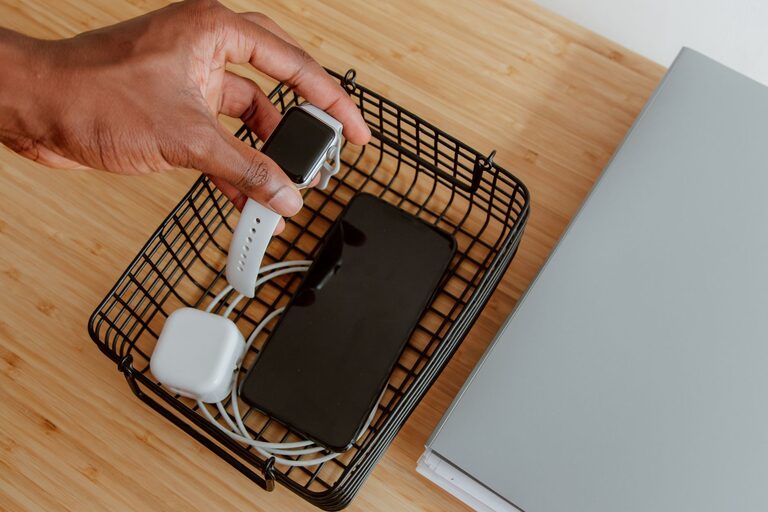
Setting up a dedicated charging station for your devices can simplify your daily routine, reduce clutter, and keep your gadgets powered and ready to go. Whether you want a central spot for your phone, tablet, earbuds, and other electronics, a charging station brings order and convenience to your home or workspace.
In this guide, we’ll walk you through the process of designing, assembling, and maintaining an efficient charging station tailored to your needs.
Why Have a Charging Station?
Before diving into the setup, let’s consider the benefits of having a charging station:
– Organization: Keeps all your cables and devices in one place.
– Efficiency: Saves time looking for chargers and outlets.
– Safety: Reduces tangled cords and potential tripping hazards.
– Aesthetics: Creates a neat and visually appealing space.
– Device Health: Some stations help manage power flow to preserve battery life.
Step 1: Choose the Location
Selecting the right spot is key to a functional charging station.
– Accessibility: Pick a location that’s easy to reach throughout the day, such as a desk, countertop, or nightstand.
– Power Source: Ensure there’s an electrical outlet nearby to plug in chargers or power strips.
– Ventilation: Avoid cramped spaces where devices might overheat.
– Visibility: A spot where devices can be monitored without clutter can help keep things tidy.
Step 2: Determine Your Device Needs
Make a list of the devices you regularly charge, including:
– Smartphones
– Tablets
– Smartwatches
– Wireless earbuds or headphones
– E-readers
– Portable batteries or power banks
– Other rechargeable gadgets (cameras, game controllers, etc.)
Knowing which devices you’ll include helps you choose the right equipment and accessories.
Step 3: Select the Charging Equipment
Chargers and Power Strips
– Multi-port USB Chargers: These are compact and can charge several devices simultaneously.
– Wireless Charging Pads: Convenient for smartphones and earbuds compatible with wireless charging.
– Power Strips with USB Ports: Useful when outlets are limited.
– Fast Chargers: Consider chargers that support fast charging if your devices are compatible.
Cable Management Tools
– Cable Organizers: Clips, sleeves, or boxes to keep cords neat.
– Labeling: Use labels or color-coded cables to identify devices quickly.
– Cable Length: Use appropriately sized cables to minimize excess length.
Charging Station Base or Stand
– DIY or Store-Bought Stands: Some prefer custom wooden or plastic stands; others choose ready-made products with compartments.
– Surface Protection: Use mats or trays to protect furniture from heat or scratches.
Step 4: Assemble Your Charging Station
Follow these tips during setup:
- **Arrange Your Devices:** Place devices in order of size or frequency of use.
- **Plug In Chargers First:** Connect chargers to the power source before attaching devices.
- **Manage Cables:** Route cables through organizers and tuck away extra lengths.
- **Test Charging:** Plug in each device to ensure proper function and make adjustments.
- **Maintain Ventilation:** Avoid stacking devices when charging to prevent overheating.
Step 5: Customize for Convenience
– Add a Clock or Timer: Helps track charging time.
– Include Storage: Small drawers or compartments for chargers, adapters, and accessories.
– Lighting: LED strips or small lamps can improve visibility at night.
– Portable Options: Consider a charging station on wheels or a tray if you need mobility.
Maintenance Tips
– Regular Cleaning: Dust and wipe the station weekly.
– Check Cables: Inspect for damage or wear and replace as needed.
– Update Equipment: Upgrade chargers periodically to match new devices.
– Avoid Overloading: Do not exceed the recommended power limits to prevent hazards.
Final Thoughts
A well-planned charging station not only keeps your devices powered but also helps maintain a clutter-free living or working space. By choosing the right location, equipment, and organization methods, you can streamline your daily tech routine and protect your devices.
Start small and adjust as you figure out what works best for your lifestyle. With these tips, you’ll have a charging station that’s both practical and stylish in no time.